
Your app, recorded from main.
A clip is a script in your repository. On every push, CI starts your app, records the clip again and renders the video. When the app only looks different, you get a new video. When a control the clip needs is gone, the build fails and names it.
version.cam, where the recordings go after CI, is in a private beta: the first ten accounts that ask have Pro free until it ends. Sign in with GitHub, or see what it adds first.
The script is the clip
Section titled “The script is the clip”Each clip is a TypeScript file in the repository. The video beside it is what CI recorded from that file on the last push to main, and the lit line is the one running.
- import { clip } from "versioncam";
- /**
- * Filling in a form and waiting for the result.
- *
- * The app takes 800ms to create a shipment and shows a spinner while it does.
- * Neither appears in the clip as a wait: `settle()` advances the page's clock
- * without capturing, so the eight hundred milliseconds never reach the video.
- * That is the whole point of authoring time rather than measuring it.
- */
- export default clip(
- "01-create-a-shipment",
- { title: "Create a shipment", seed: 11 },
- async (s) => {
- // The spinner, held for a beat so it reads as work rather than as a
- // flicker, then the wait itself edited out.
- },
- );
The script recorded the video. The lit line is the one running; select a line to see its moment.
What happens when you change the app
Section titled “What happens when you change the app”A new video
- Move the button.
- Change its colour, the layout, the theme.
- Rewrite the copy around it.
- Add a field the clip does not touch.
The clip finds its controls by test id or role, never by position. A change in how the app looks never fails a check: CI records the clip again, and the new look is the new video.
The build fails, by name
- Rename the control's test id, or remove it.
- Move the flow to another page.
- A spinner that never resolves.
- An app that will not start.
The failing clip names what it looked for and the second it gave up, and keeps a picture of the page at that moment. It renders nothing: a video of the wreckage would help nobody.
Every push to main runs npx versioncam check against the example app. On the left, the last run. On the right, the same check run once for this page, after one button’s test id was renamed and nothing else.
$ npx versioncam check
app: started with "npm run dev", HTTP 200 after 0.9 s; it stops when this command does
PASS  01-create-a-shipment
PASS  02-find-a-shipment
PASS  03-cancel-a-shipment

3/3 clips still match the app.$ npx versioncam check
app: started with "npm run dev", HTTP 200 after 0.4 s; it stops when this command does
FAIL 01-create-a-shipment
PASS 02-find-a-shipment
PASS 03-cancel-a-shipment
2/3 clips still match the app.
01-create-a-shipment
Nothing matched getByTestId('create-shipment') within 15000ms at t=3.71s (frame 222). The clip expected it to be on screen by this point.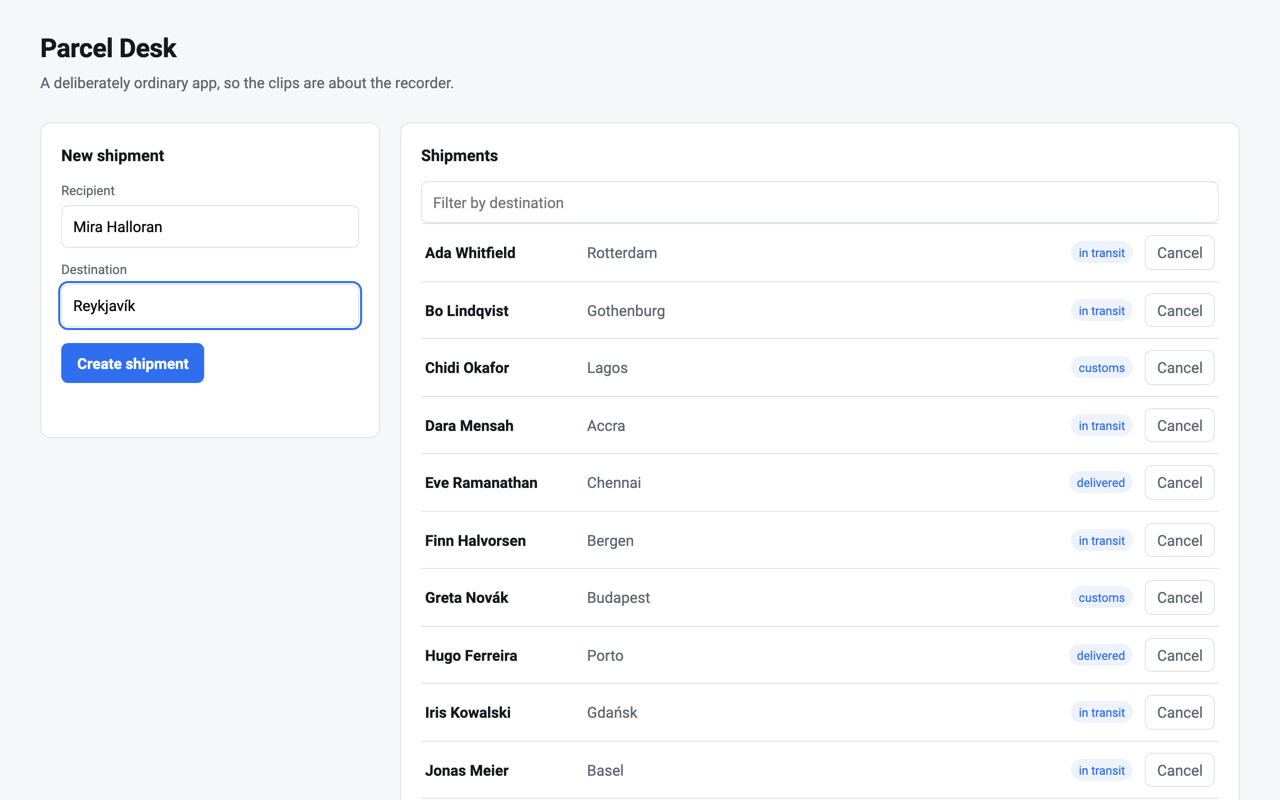
Why a take repeats
Section titled “Why a take repeats”- Authored time
- The page’s clock moves one frame at a time, and only when the recorder moves it. A slow query or a spinner is waited for off camera and never reaches the video. How it works
- Real input
- A real mouse follows a planned, seeded path, so hover and press states fire as they would for a person. The cursor you see is drawn afterwards, at output resolution. The clip DSL
- Same bytes
- Two recordings of a clip on one machine are the same file.
versioncam stabilityproves your app does its part before a clip is written for it. Determinism - One sentence
- In Claude Code,
/versioncam “…”writes the clip, records it, and has a fresh reviewer judge the frames. There is no API key: the model is the session you already have. Authoring
After CI: version.cam
Section titled “After CI: version.cam”The recorder and the GitHub Action are free and run in your CI, which already has your app and your secrets. version.cam is what happens to a recording after CI has made it.
What it adds
- One address that only plays what passed
clips.version.cam/<owner>/<repo>/<clip>plays the newest version from your default branch whose check passed. A broken clip keeps playing the last one that did, and the dashboard says so.- Plays where the README is
- An embed and oEmbed, so a pasted address unfurls in Notion and Slack; a GIF for the README; a screenshot of any beat, on request.
- The pull request sees the clips
- A check on the commit, and one comment, edited as the branch moves, with a picture of each clip that looks different or failed.
- A badge that cannot lie
The commit it names is the one whose CI run published the recordings. This one is the recorder's own, live.
- Told when it breaks
- On Pro, by email, in Slack or as a GitHub issue: when a clip breaks on your default branch, again two days later, then weekly, until it passes or someone acknowledges it.
- Private repositories, on Pro
- A private repository's clips play only for people GitHub lets read it, through short-lived signed addresses. Recordings live in Cloudflare's EU jurisdiction.
The plans, as planned
- Free $0
- Public repositories. Three projects, ten clips a project, thirty days of history, clips to sixty seconds, 1 GB. The pull request check and the badge.
- Pro $35 a project, a month planned
- Private repositories too, by GitHub's own permissions. Unlimited history and a hundred clips a project. Told by email, Slack or an issue when a clip breaks. $350 a year.
Per project, never per seat. Planned means the final prices follow the first bill, and an account from the beta pays 20% less for its first twelve months. Ten projects and more are priced in the docs. The recorder and the Action are free whatever you choose.
The beta is private: nothing is sold yet, and no card is asked for. Free works for public repositories as soon as you sign in. The first ten accounts that ask have Pro free until the beta ends: sign in, then write tohello@version.cam naming your account. How version.cam works says the rest.
Set up
Section titled “Set up”Three commands and one sentence. The first run of the skill writes the config from what it finds in the repository, proves the app records the same way twice, and writes the first clip. On the example app that took six to twelve minutes and one or two review rounds.
npm i -D versioncam
npx versioncam install
npx versioncam init/versioncam "Show a user filtering the list down to one shipment"versioncam 0.5.3 on npm · FSL-1.1-ALv2 · Imprint · The source is public at github.com/versioncam/versioncam, and so is this site’s.